Zero the readings of the Seeding table
Set the counters and interval figures of the Seeding table to zero — what is zeroed, what is not, and what else zeroes them.
The figures of the Seeding table — seed counters, quality, doubles, skips, rates, litres of liquid fertilizer — count from switch-on. Zero them when you start a new field or a new seed lot.
On the home screen, press “HOME”. The Seeding table opens.
Press “MENU”. The panel asks “Zero readings?”.
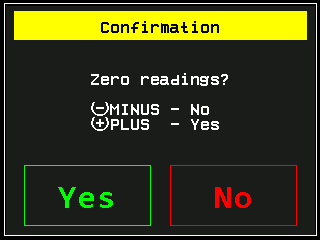
The question before the readings are zeroed. Press “PLUS” for “Yes”, or touch “Yes”. “MINUS”, “No” or “BACK” cancels.
On “Yes” the readings of all sensors are zeroed — seed, dry fertilizer and liquid fertilizer — whichever table you are looking at. Only the readings of this screen: the field statistics are not touched.
What else zeroes them
- Selecting another active field on the Statistics screen.
- Erasing the statistics of the active field.
- Switching the panel off — the readings belong to the working session.
The interval figures — quality, doubles, skips and the rates — are also renewed by the panel itself with every completed recalculation interval once the machine moves again. The seed counters stay.
Something your machine does that this page does not answer? Write to support@agriwelt.com — an engineer answers.