Pressure sensor
The settings of a pressure (vacuum) sensor of the Hectare Mini — filter, minimum and maximum pressure — and when the panel raises its alarms.
A pressure sensor measures the vacuum (or overpressure) of the air system — for example at the outlet of the fan or in the seed meters of a vacuum planter. The panel works with the absolute value: a higher figure means more vacuum. Each pressure sensor has its own settings.
Open its context menu as in Sensor settings.
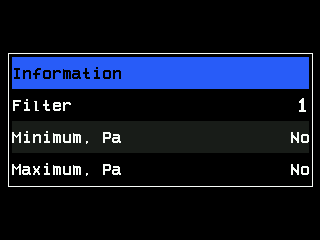
| Parameter | Level | What it does | Range · default |
|---|---|---|---|
| “Filter” | Agronomist | How long the sensor measures and averages the pressure. Raise it if the figure jumps a lot. | 1 … 16 · 1 |
| “Minimum, Pa” | Operator | Below this pressure — too little vacuum — the panel raises “Low pressure”. “No” switches the check off. | “No”, 100 … 10000 Pa, steps of 100 · “No” |
| “Maximum, Pa” | Operator | Above this pressure — too much vacuum — the panel raises “High pressure”. “No” switches the check off. | “No”, 100 … 10000 Pa, steps of 100 · “No” |
Both limits are watched only while the machine sows, or moves in the working position — see When the panel controls the seeding. Without a speed sensor they are watched while the panel sees seeding.
The limits are set in pascals; the status screen shows the pressure in kilopascals: 1 kPa = 1000 Pa.
The status screen
Shows the measured pressure P= in kPa, only while the sensor answers — The sensor status screen.
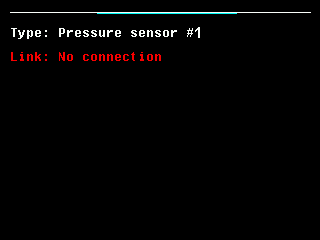
The alarms and what to check: Pressure alarms. A new or replaced pressure sensor must first get its address — Configure a pressure sensor.
Something your machine does that this page does not answer? Write to support@agriwelt.com — an engineer answers.