Assign a product to a dispenser motor
Tell the panel which of its three products each dispenser motor applies, so that one target rate in kg/ha serves all motors of that product.
Every dispenser electric motor drives one dispenser and belongs to exactly one product. The panel keeps up to three products: “Product 1”, “Product 2” and “Product 3”. Several motors may apply the same product; its rate is then set once for all of them. In the factory state all motors are “Product 1”.
This needs the Agronomist level (Enable the Agronomist level) and motors in the “Flow” or “Hybrid” mode.
Go to the Motors screen and hold “MENU”. The first motor is selected.
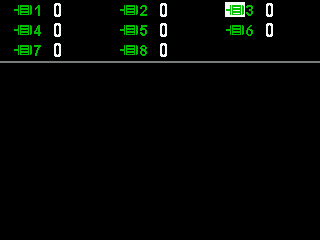
The Motors screen with a motor selected. Select the motor with “UP” and “DOWN”.
Press “MENU”. The context menu opens.
Go to “Type of product” with “DOWN”.
Choose the product with “PLUS” and “MINUS”.
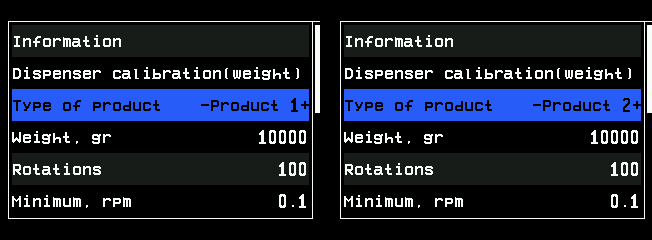
Type of product before and after the change. If the panel asks to erase the statistics, press “MENU” for “Yes” or “BACK” for “No”.
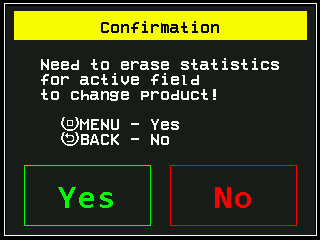
The question before the product type is changed on a field with data. Press “BACK”. You are back on the Motors screen. Repeat from step 2 for every other motor.
While you step through the values, a product that a dispenser shaft with weight control already applies is skipped — one product is applied either by motors or by such dispensers, not by both. If no other product is available, the value does not move; that is not a fault.
Then set the rate of each product: Change the target rate, and calibrate each motor: Calibrate a motor by weight.
Something your machine does that this page does not answer? Write to support@agriwelt.com — an engineer answers.