Travel speed sensor
Every parameter of the travel speed sensor of the Hectare Mini — pulses, count period, wheel diameter, factor, seeding criteria, speed limits, imitation — with its range and default.
Area, rates, skips and doubles are all worked out from the distance travelled. A speed sensor that is out by a tenth makes every figure on the panel wrong by a tenth. Set “Pulses” and “Diameter, cm”, then calibrate (Calibrate the speed sensor) — the calibration sets “Factor, %”. The speed sensor cannot be taken out of control.
Open its context menu as in Sensor settings. Its parameters need the “Agronomist” level (Enable the Agronomist level).
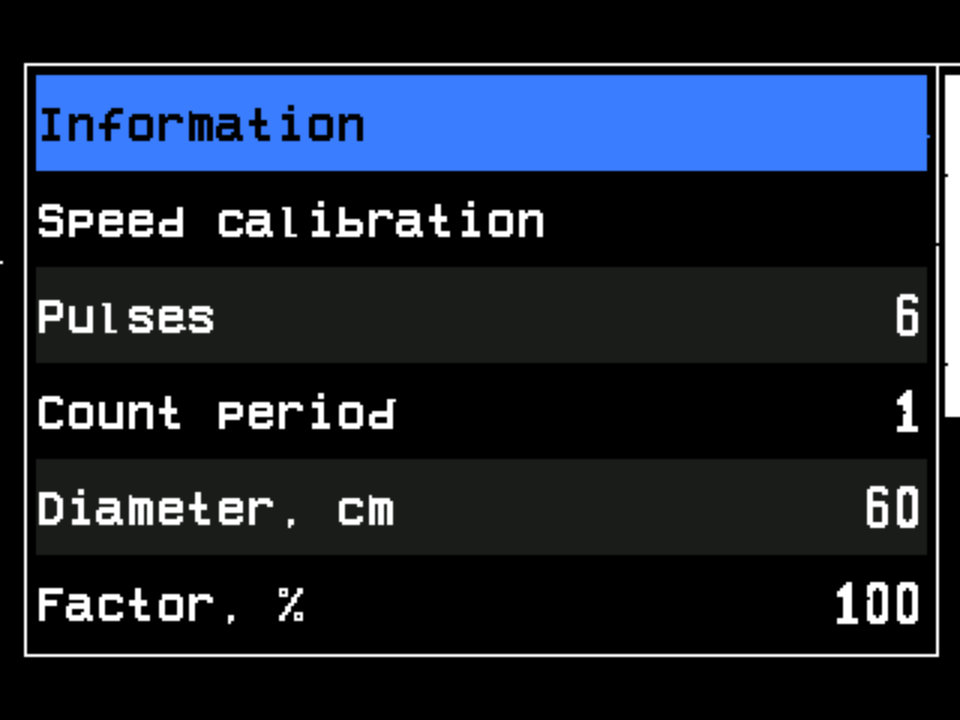
“Speed calibration”, right under “Information”, is shown only while the machine stands. At “Operator” it asks for the PIN of a higher level.
| Parameter | What it does | Range · default |
|---|---|---|
| “Pulses” | Pulses of the sensor per revolution of the shaft it sits on. | 1 … 1000 · 6 |
| “Count period” | Over how many of the latest pulse intervals the panel averages the speed. The panel always takes at least 8 and at most 16, none older than two seconds: a higher value gives a steadier but slower figure, values below 8 act as 8. Shown only for a sensor connected to the panel. | 1 … 1000 · 1 |
| “Diameter, cm” | Diameter of the drive wheel. | 10 … 200 · 60 |
| “Factor, %” | Gear ratio between the wheel and the shaft of the sensor, for a sensor on an intermediate shaft or on the dispenser shaft driven by gears or chain. 100 is a direct 1 : 1 drive. Best left to the calibration. | 1 … 10000 · 100 |
| “Seeding criteria” | “Yes”: travel is part of the condition under which the panel starts to control the seeding — see When the panel controls the seeding. “No”: the travel speed is left out of that condition — for drills whose speed sensor sits before the clutch. Hidden, and always “Yes”, in the “Precise” mode and on machines with dispenser motors. | “No” / “Yes” · “Yes” |
| “Min speed, km/h” | Below this speed, while the panel is controlling, the speed indicator shows “FASTER”. “No” switches the check off. | “No”, 1 … 99 · “No” |
| “Max speed, km/h” | Above this speed, while the panel is controlling, the speed indicator shows “SLOWER”. “No” switches the check off. | “No”, 1 … 99 · “No” |
| “Imitation, km/h” | A simulated speed, to keep working with a faulty sensor. “No” = the sensor is used. | “No”, 1 … 20 · “No” |
| “Width, cm” | Distance between the centres of the two wheels. Shown only with “Input device (2)” in the profile. | 0 … 10000 · 280 |
The minimum must stay below the maximum: a value that would reach the other limit is not accepted. On a machine with dispenser motors the limits in force are also narrowed to the speeds the motors can dose; if a limit cannot be met, the panel raises “Error in settings of Min/Max” (Speed sensor alarms).
Working out the factor
If you do not calibrate, the factor can be calculated: k = Na / Nt × 100 %. Na is the product of the numbers of teeth of all driven gears (the even-numbered ones), Nt the product of the numbers of teeth of all driving gears (the odd-numbered ones), counted from the gear on the shaft of the drive wheel.
If the tractor has a speedometer and the panel shows another speed: Knew = Kcurrent × Vtractor / Vpanel.
Imitation
With motors the imitated speed is also kept inside the range the dosing allows: a value outside it is pulled to the nearest limit. While the speed is imitated, the link line of the status screen reads “IMITATION” in yellow, and the speed indicator shows the imitation sign.
The speed can also come from the built-in GPS receiver. That is switched on in the profile, item “GPS”, not here — The profile, GPS reception.
The status screen
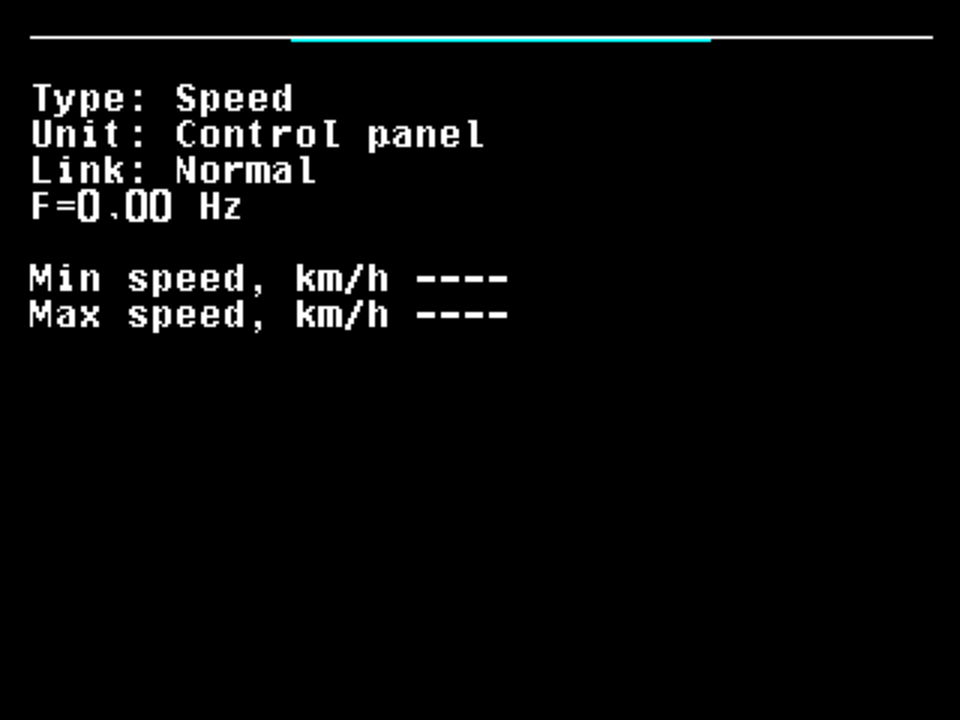
It shows the pulse frequency F= in Hz and the two limits in force — see The sensor status screen.
Something your machine does that this page does not answer? Write to support@agriwelt.com — an engineer answers.