Start work on a new field
Choose the field the panel writes its statistics to, and erase it if it is not empty — before the first pass on a new field.
The panel keeps the statistics of several fields. It writes to one of them, the active field, marked (A) on the Statistics screen. Before the first pass on a new field, make an empty field the active one.
On the home screen, press “HOME” twice. The Statistics screen opens with the active field.
Press “PLUS” or “MINUS” until the field you want is shown. Fields without (A) are not active.
Press “MENU”. The menu of the screen opens.
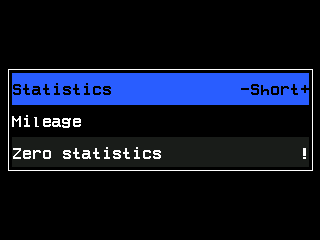
The menu of the Statistics screen. Select “Select field” and press “MENU”. The item is shown only for a field that is not active.
The panel asks “Are you sure?”. Press “PLUS” for “Yes”. The field is now active, marked (A), and the readings of the Seeding table start from zero.
If the field already holds data from other products than the machine applies now, the panel first asks to erase that field; at the Operator level it also wants the code of a higher access level.
Erase a field that holds old data
Show the field on the Statistics screen and press “MENU”.
Select “Zero statistics” and press “MENU”.
At the Operator level, type the code of the Agronomist level on the number pad. Above Operator, the panel asks “Are you sure?” — press “PLUS” for “Yes”.
The statistics of that field are erased for good. The lifetime totals under “Mileage” are not affected.
Something your machine does that this page does not answer? Write to support@agriwelt.com — an engineer answers.