Set up the tramline rhythm
What a tramline rhythm is, worked out for your drill and sprayer, and how to set it up on the panel step by step.
A tramline is the lane the sprayer will drive in later. You make it now, while sowing, by shutting off one or two sections on certain bouts so that nothing is sown where the sprayer wheels will go. Which bouts those are depends on the width of the drill against the width of the sprayer. That pattern, repeating across the field, is the rhythm.
How a rhythm works — an example
A 6-metre drill and an 18-metre sprayer: every third bout must carry the lane. The rhythm is three bouts long, and actuator 1 shuts its sections off on one of them.
| Bout | Actuator 1 | What is sown |
|---|---|---|
| 1 | shuts its sections off | All rows except the tramline rows — the lane is made. |
| 2 | open | All rows. |
| 3 | open | All rows. |
| 1 again | shuts off | The next lane, 18 m further. |
The panel counts the bouts and shuts the sections off on the right one. After the last bout it starts again at bout 1.
What the panel allows
| Rhythms stored | Three. One is active at a time. Keep the patterns of the machines you work with and switch between them. |
| Actuators in one rhythm | Four. |
| Cut-off bouts per actuator | Four different bouts of the same rhythm. |
| Bouts in a rhythm | At least one. |
Setting it up
The tramline items sit under “Seeding machine parameters”, which needs the Agronomist level: Enable the Agronomist level.
On the home screen press “MENU”, select “Settings” and press “MENU”.
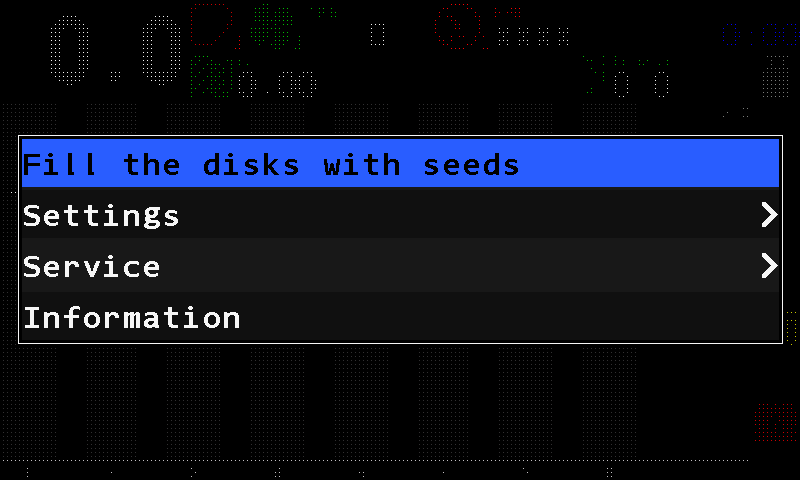
The main menu. Select “Seeding machine parameters” and press “MENU”.
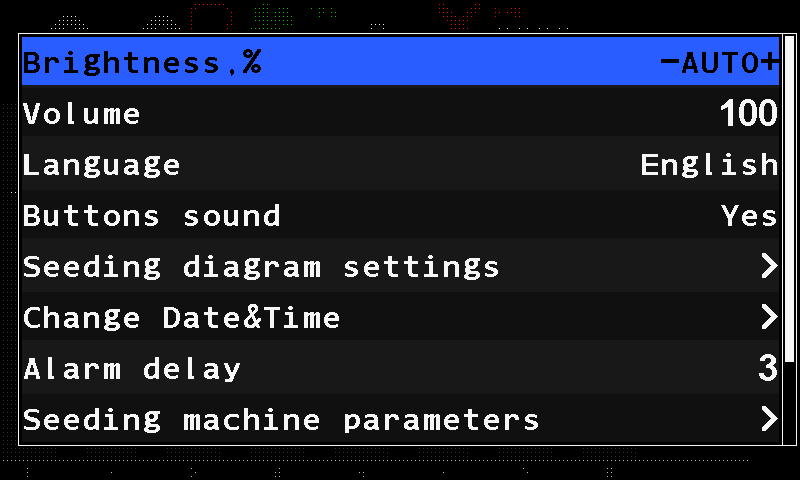
The Settings menu; Seeding machine parameters at the bottom. Select “Tramline” and press “MENU”.
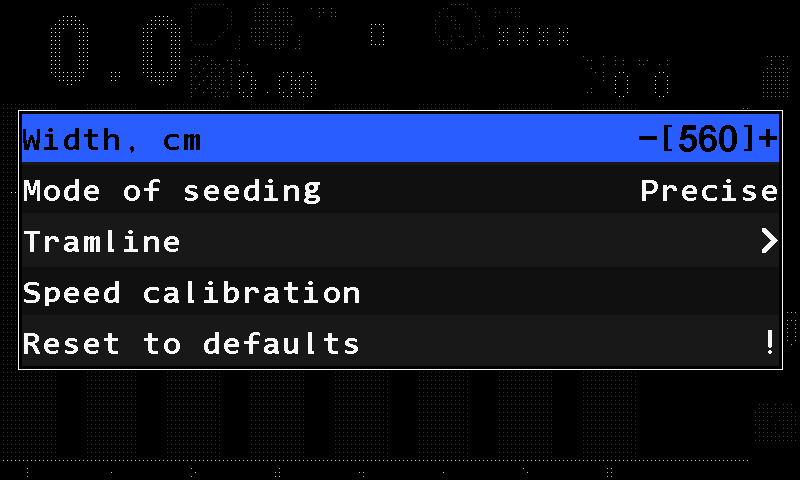
The Seeding machine parameters menu with the Tramline item. Set “Tramline” to “Yes” with “PLUS”. Then select “Tramline rhythm settings” and press “MENU”.
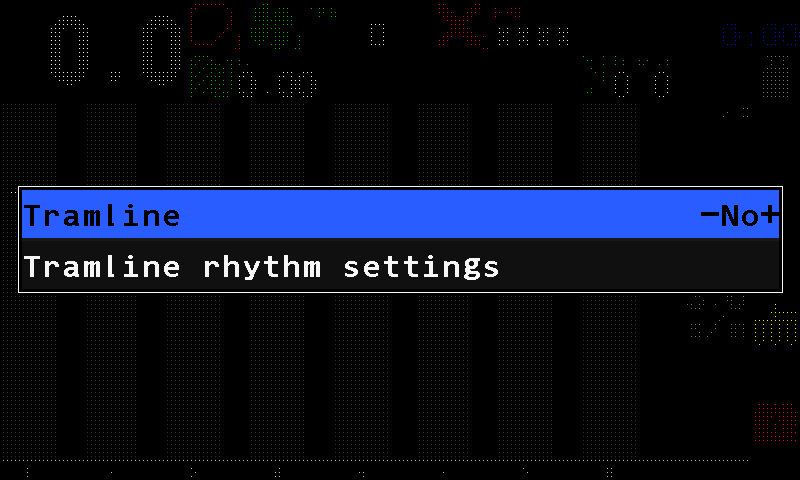
The Tramline menu. On “Rhythm”, choose the rhythm number with “PLUS” / “MINUS”, press “MENU” and choose “Select”. The word “Active” appears beside the number — without it the rhythm is stored but not used.
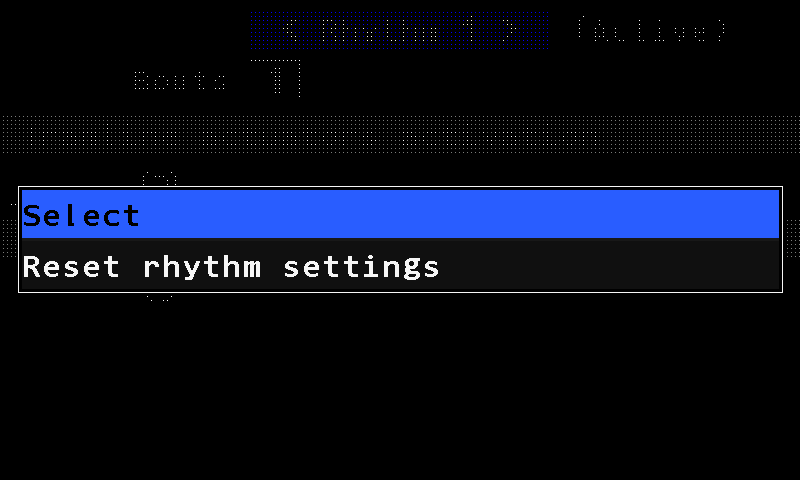
The rhythm menu: Select, Reset rhythm settings. Move down to “Bouts” and set the number of bouts in the rhythm.
Move to the framed cell under the activation heading and press “MENU”. Choose the number of the actuator, then the bout on which it must shut its sections off.
If the pattern needs it, add more bouts to the same actuator — up to four — with the framed cell at the end of its row, or another actuator with the cell on the empty row below.
Press “BACK” until the home screen returns. The rhythm is saved; the tramline indicator shows the current bout above and the number of bouts below.
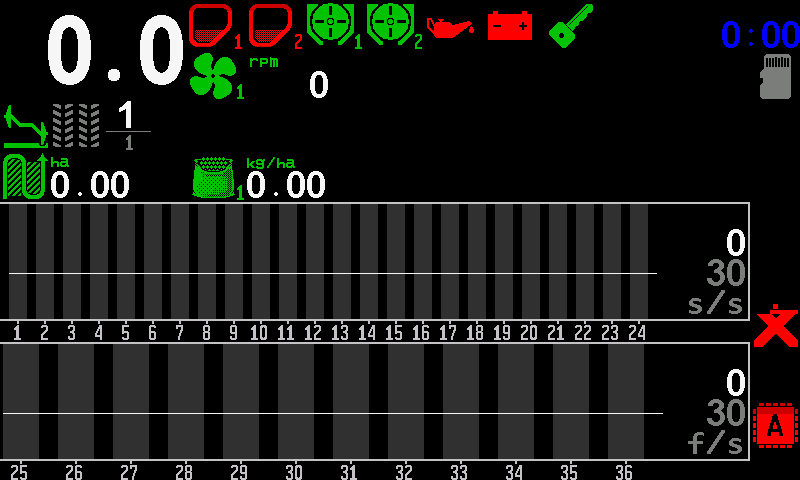
The home screen with the tramline indicator, bout 1 of 1.
Return to the Operator level before you work — above it, no alarms are shown.
The rhythm form
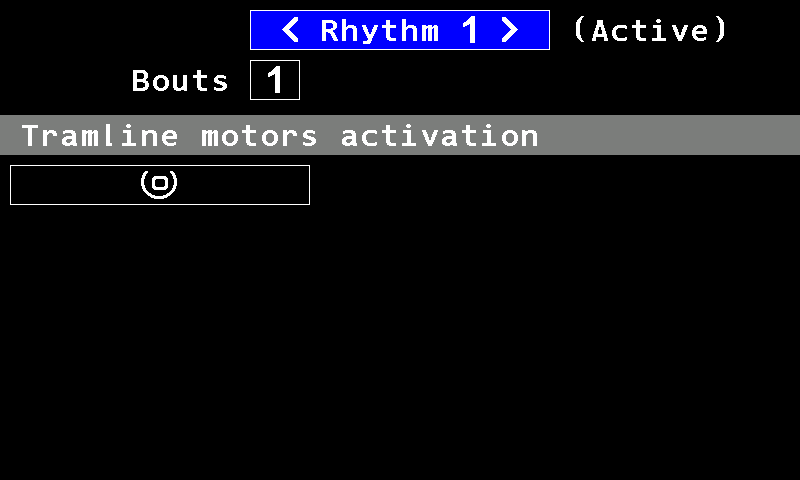
- Rhythm. The number of the rhythm; “PLUS” and “MINUS” step through the three.
- “Active”. This rhythm is the one in use.
- “Bouts”. The number of bouts in the rhythm.
- Activation heading. “Tramline actuators activation” on a machine that makes tramlines with actuators; “Tramline motors activation” on one that stops dispenser motors.
- Framed cell. Adds an actuator (or motor) and its cut-off bout.
In the form, “UP” and “DOWN” move between lines, “MINUS” and “PLUS” along a line, “MENU” opens the selected cell. Moving to the next bout while working: Move to the next tramline bout.
Something your machine does that this page does not answer? Write to support@agriwelt.com — an engineer answers.