Enable the Agronomist level
The steps, with the screen of each, to raise the access level to "Agronomist" or "Service" before changing settings, and to return to "Operator" afterwards.
Most set-up work — sensor parameters, calibrations, device configuration — needs the “Agronomist” level. The “Service” level is raised the same way. What each level allows: Access levels.
You need the PIN of this panel. It is different for every panel; take it from the device passport or ask the service support.
On the home screen press “MENU”. The main menu opens.
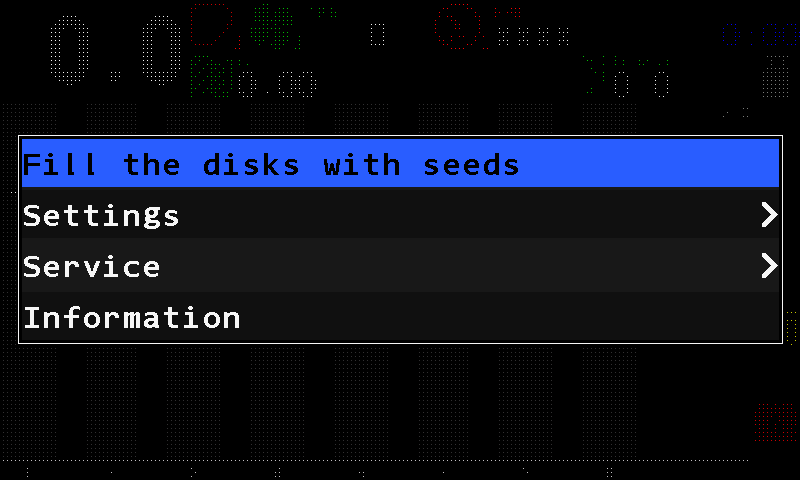
The main menu. Select “Settings” with “UP” / “DOWN” and press “MENU”. The “Settings” menu opens.
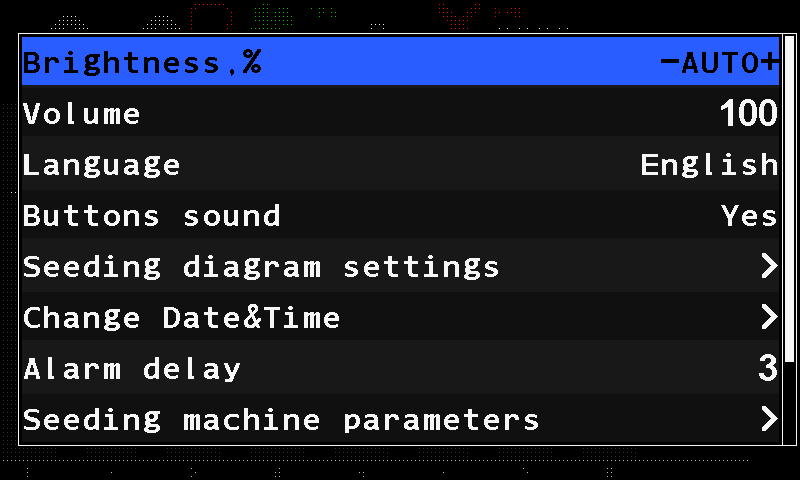
The Settings menu at the Operator level. Press “DOWN” until “User” is selected — it is near the end of the menu. Press “PLUS” until it reads “Agronomist” (or “Service”).
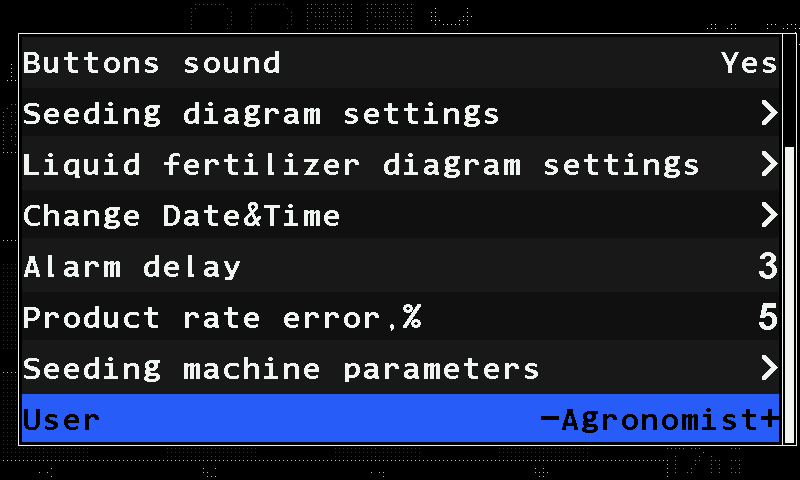
“User” set to Agronomist. Press “MENU”. The PIN pad opens. Its heading names the level you chose — “Agronomist” — followed by the code of this panel; have that code at hand when you ask the service support for the PIN. Type the PIN and touch “OK”.
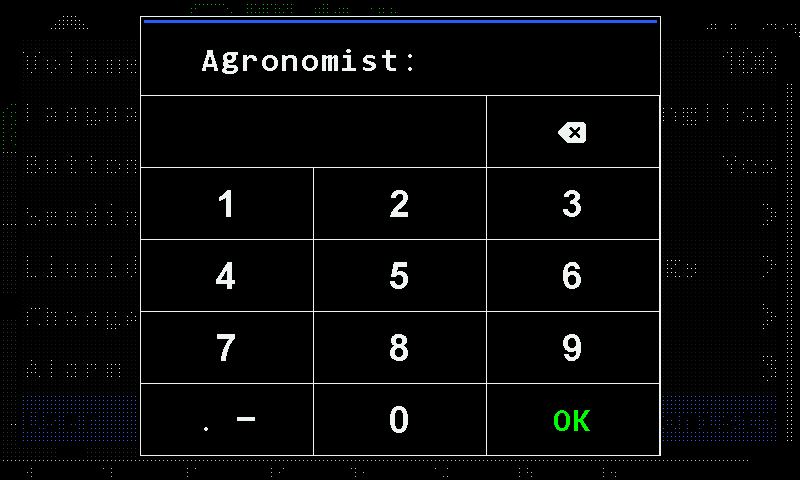
The PIN pad. The code beside the prompt is covered in this manual. The “Settings” menu returns, now with the items of the new level — for example “Seeding machine parameters”. Press “BACK” to leave.
When you come back down, the alarms that are still true are shown one after another. See Access levels.
Something your machine does that this page does not answer? Write to support@agriwelt.com — an engineer answers.