The panel and its seven buttons
What is on the front and on the back of the Hectare One, and what each of the seven buttons does.
The Hectare One is operated with seven backlit buttons under the screen and with touches on the screen itself. Everything can be done with the buttons alone — with gloves on, on a rough field.
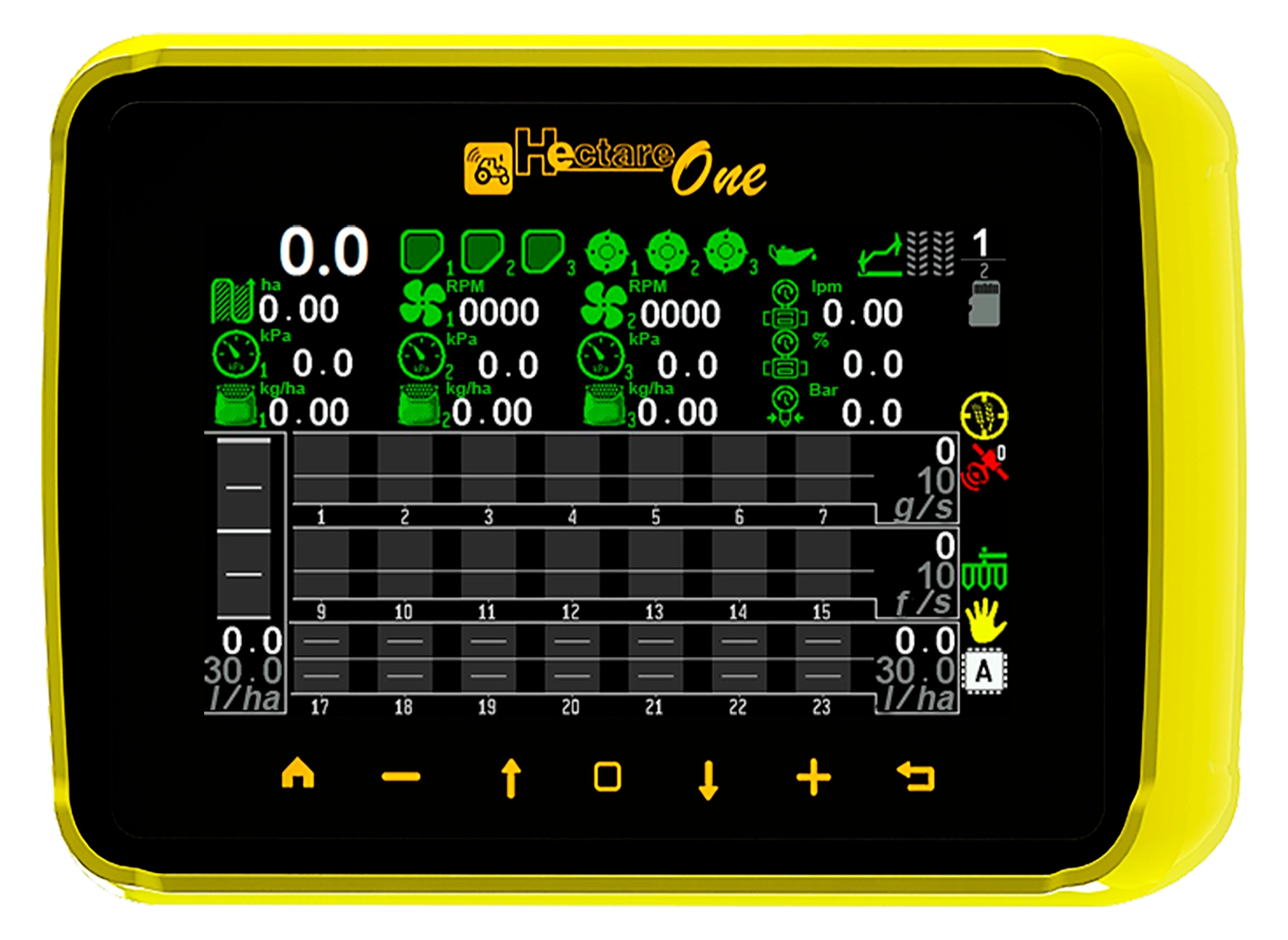
- Screen. 800 × 480 colour screen with a touch surface. Shown here: the home screen.
- “HOME”. Moves between the working screens. Held down on the home screen, it locks and unlocks product application.
- “MINUS”. Decreases the selected value.
- “UP”. Moves the selection to the previous item of a menu.
- “MENU”. Opens the main menu from the home screen. In a menu it enters the selected item; in a dialogue it confirms.
- “DOWN”. Moves the selection to the next item of a menu.
- “PLUS”. Increases the selected value.
- “BACK”. Leaves a menu or a screen; in a dialogue it cancels. On the home screen it opens the tramline bout menu.
What each button does on each screen is listed in Buttons and gestures.
The back of the panel
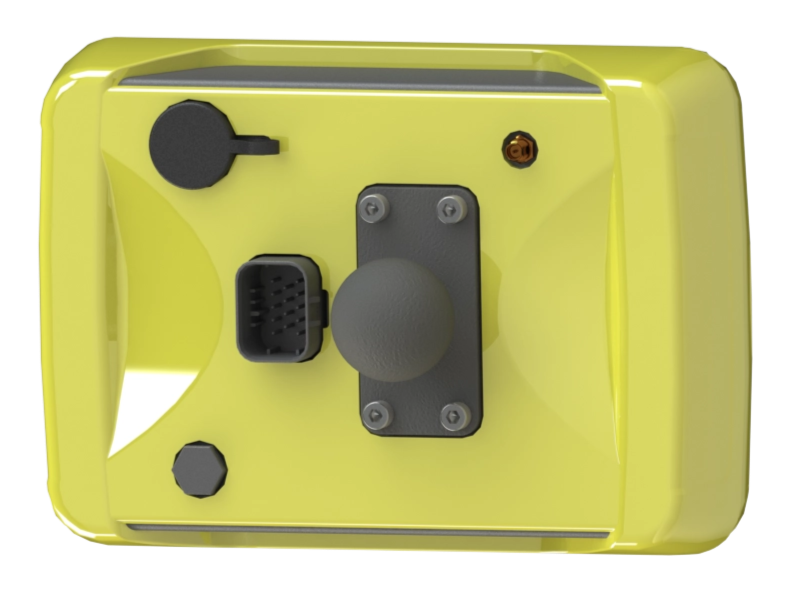
There are no controls on the back. One harness connector of up to fourteen contacts carries everything to the panel. The two raised round caps are the GPS antenna connector and the dust-protected slot of the microSD card; the small opening is the pressure equaliser of the sealed housing. The ball joint lets you turn and tilt the panel freely on a flat surface in the cab. For mounting on a tube, an additional bracket is available.
Something your machine does that this page does not answer? Write to support@agriwelt.com — an engineer answers.