Fill the disks with seeds
Turn the seed disks of a planter with dispenser motors until every disk holds seed, so that sowing starts from the first metre — how to run it and read the result.
This applies only to planters with seed dispenser electric motors in the “Precise” control mode. Without motors in the profile, or in another mode, the menu item is not shown.
When the disks are driven by electric motors, they stand empty until the motors run. Drive off with empty disks and the first metres of every row get nothing: each disk has to pick up seeds and carry them round to the drop point first. Filling turns the disks while the machine stands still, so that sowing starts from the first metre.
Stop the machine. The item is shown only while the machine stands still.
On the home screen, press “MENU”. Select “Fill the disks with seeds” and press “MENU”.
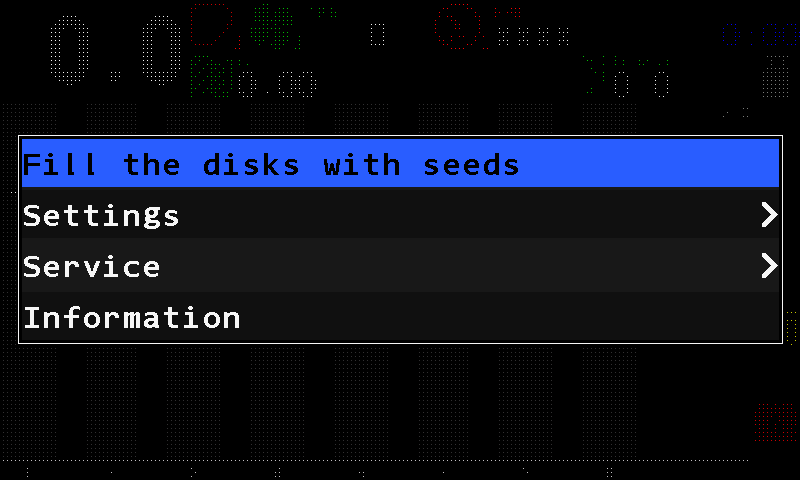
The main menu with Fill the disks with seeds selected. The panel asks “Are you sure?”. Touch “Yes”, or press “PLUS”. “No”, “MINUS” or “BACK” cancels.
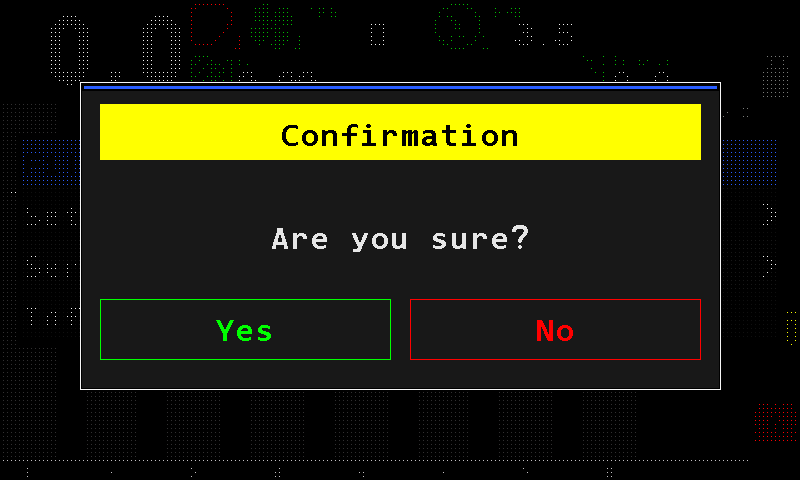
The confirmation before the disks turn. Watch the tiles. Each motor turns its disk until the seed sensor of its row registers the first seed. At the end the panel beeps three times and shows “Operation complete.”
Touch “Close”, or press “BACK”, to return to the home screen.
To stop before the end, touch “Cancel” or press “BACK”: the motors stop at once and their control goes back to the seeding logic.
Reading the screen
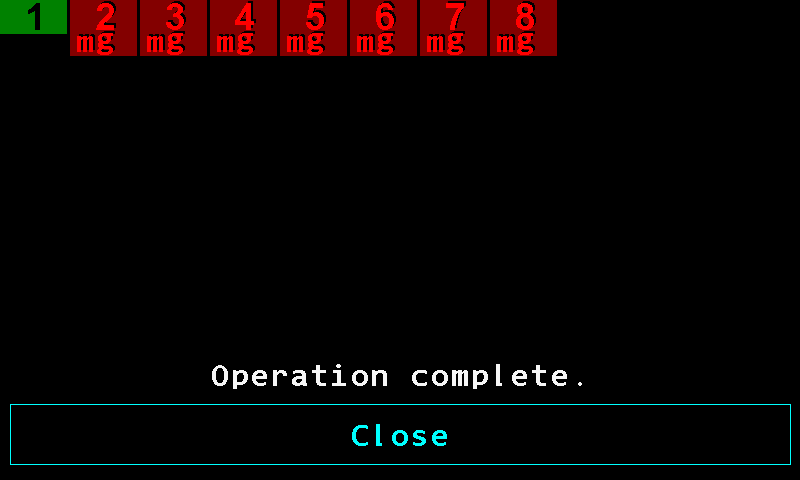
- Green tile. Done: the seed sensor registered a seed, the disk is filled.
- Dark red tile. Failed: the disk could not be filled. The motor number is bright red.
- Reason letters. Why the tile failed — see the table below. Here m g.
- “Operation complete.” Every motor has finished.
- “Close”. Returns to the home screen. While the operation runs, this button reads “Cancel”.
| Tile | State |
|---|---|
| Dark grey | Waiting its turn. Up to eight motors run at the same time; the rest wait. |
| Yellow | Running: the disk is turning. |
| Green | Done. |
| Dark red | Failed. |
Each motor turns its disk at 4 rpm of the driven shaft. If no seed is registered within 1.25 revolutions — about 19 seconds — that motor is stopped and marked as failed. A motor already in an alarm state is marked as failed at once.
Letters on a failed tile
The colour of the letter matters as much as the letter: red means a fault, white means taken out of control.

| Letter | Meaning |
|---|---|
| m red | A fault of the dispenser electric motor during the operation. |
| m white | The motor is taken out of control and cannot run. |
| g red | The seed sensor registered no seed while the disk was turning. |
| s red | A fault of the seed sensor during the operation. |
| s white | The seed sensor is taken out of control. |
If the seed sensor is out of control, the panel cannot check the disk. A serviceable motor still turns it for about one and a quarter turns, so in practice the disk does get filled — but the panel reports that motor as failed, because it never saw a seed.
Something your machine does that this page does not answer? Write to support@agriwelt.com — an engineer answers.