Seeding machine parameters
The working width, the modes of seeding and fertilizing, the tramline, the mapping of sections to actuators, and the two calibrations that need the machine to move.
“Settings” → “Seeding machine parameters”. The item needs the “Agronomist” level (Enable the Agronomist level) and is hidden on a machine with neither a speed sensor nor a tramline actuator. Which items it holds depends on the profile.
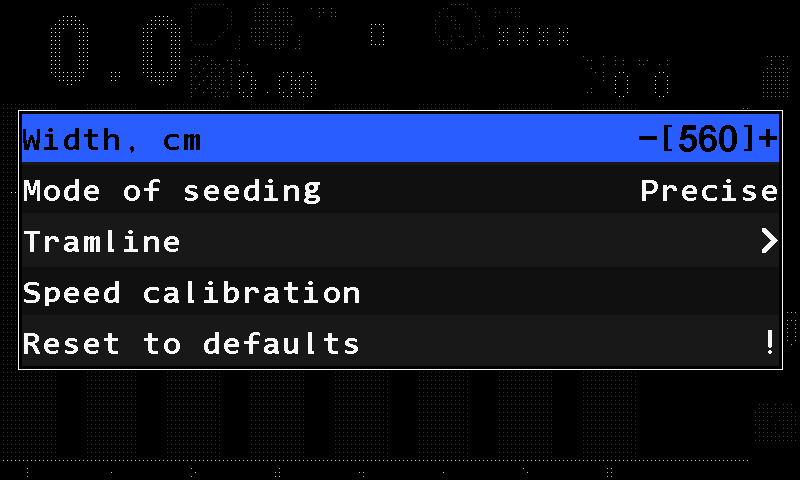
- “Width, cm” — the working width. The selected value stands between –[** and **]+.
- “Mode of seeding” — “Flow”, “Hybrid” or “Precise”.
- “Tramline” — the tramline submenu.
- “Speed calibration” — starts the speed calibration.
- “Reset to defaults” — factory values for this menu. Service level only.
Width, cm
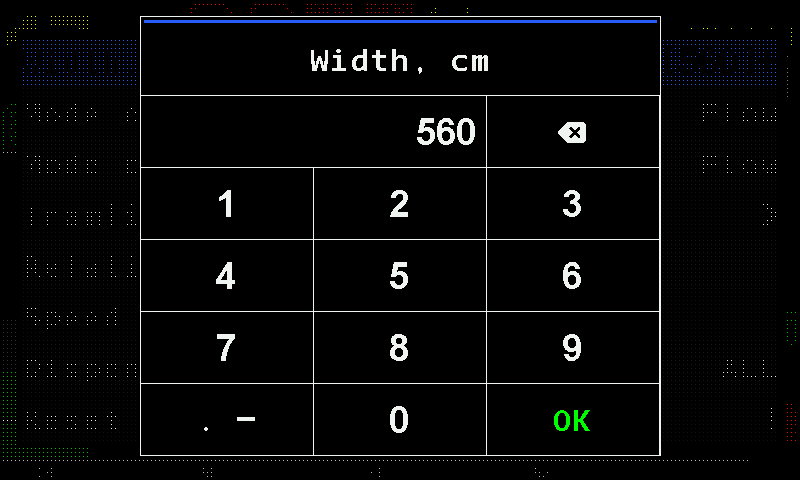
The working width of the implement. The worked area is calculated from it, so it must be entered. Press “MENU” on the item: the number pad opens. Type the digits — the key at the top right deletes the last one — and touch “OK” to accept, or press “BACK” to keep the old value.
Mode of seeding, Mode of fertilizers
Three modes each:
| Mode | Unit | For |
|---|---|---|
| “Flow” | seeds per second | grain drills |
| “Hybrid” | seeds per metre | grain drills — recommended |
| “Precise” | seeds per metre, with skips and doubles counted | precision planters |
Mode of liquid fertilizer
“Flow” (litres per minute) or “By area” (litres per hectare). Shown only when there is no liquid fertilizer pump controller in the profile — with a controller the panel chooses the mode itself.
Actuators to sensors mapping
Which section sensors belong to which tramline actuator or electric motor. When that actuator shuts its sections off, their sensors switch to tramline monitoring.
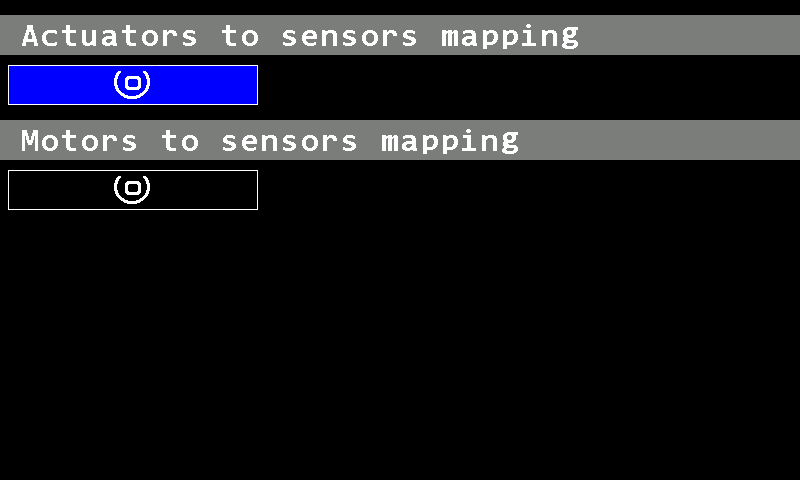
A mapping is a range: “Range start” and “Range end” — equal numbers mean a single section. Up to four ranges can be attached to one actuator. On a machine with metering motors the screen also has “Motors to sensors mapping”.
Tramline
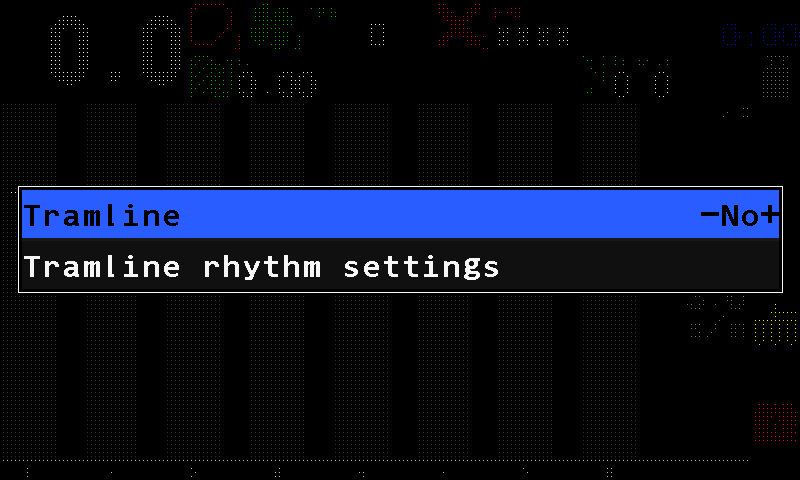
The rhythms of the tramline, in a submenu of its own with two items: “Tramline” (“No” / “Yes”) and “Tramline rhythm settings”.
Setting up a rhythm: Tramline rhythm.
Speed calibration and Dispenser calibration
The two calibrations that need the machine to move. “Dispenser calibration” carries a number beside it: the dispenser to calibrate, or 0 for all of them at once.
Something your machine does that this page does not answer? Write to support@agriwelt.com — an engineer answers.