Set the alarm level automatically
Let the panel set the alarm level of the diagrams from the rate the machine really sows, with one double tap — grain drills in the "Flow" or "Hybrid" mode.
On a grain drill the seeds arrive too close together to be counted one by one, so the panel guards each row against an alarm level: the line on the diagram. Set it too high and every row sinks under the line — “NOT UNDER CONTROL”. Set it too low and a half-blocked row goes unnoticed. The panel can set it for you from what the machine really sows.
This works in the “Flow” and “Hybrid” modes, for the seed and the dry fertilizer diagrams, and for liquid fertilizer in the “Flow” mode. In the “Precise” mode the double tap changes nothing.
Start seeding at your normal speed, with product flowing through every row.
Double tap the home screen with one finger — two quick taps on the same place.
The panel beeps once and lights the rate field: the new alarm level is set from the rate being sown now — half of it in the “Flow” mode, one tenth of it in the “Hybrid” mode.
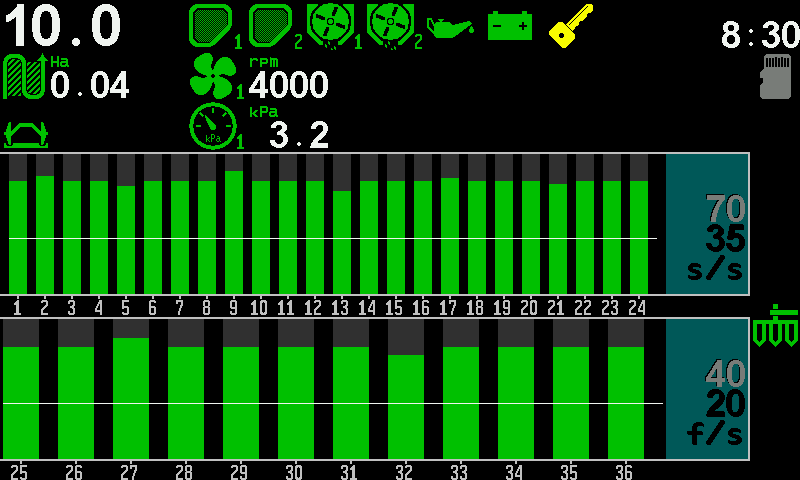
The diagrams after the double tap: the columns above the line, the rate field lit. Check that every column stands above its line. The light goes out by itself after a few seconds.
The double tap works only while product is being applied. Standing still, nothing happens.
What the line means and why rows under it are not watched: The section diagram.
Something your machine does that this page does not answer? Write to support@agriwelt.com — an engineer answers.