The profile
What the profile tells the panel, how to check it, what each profile item allows, when the panel refuses a profile, and how it is saved.
The profile tells the panel which devices, and how many of each, are on the machine. A panel usually arrives with the profile already set. Check it before you set anything else: a device missing from the profile is never watched, and a device in the profile that is not fitted raises “Connection lost”.
Check the profile on the home screen
Switch the panel on and wait until the home screen appears. Then look at it:
- No “Connection lost” alarm — the panel has found every device the profile declares.
- No white indicators with an exclamation mark — no device is left out of control.
- No red indicators with an “X” — every device answers.
What the indicators mean: Indicators. How to take a device into control or out of it: Take a sensor into or out of control.
Open the profile
The profile needs the “Agronomist” level (Enable the Agronomist level). Tap the home screen with two fingers, then tap “Service” twice and “Profile” twice. Change the selected item with a swipe right or left.
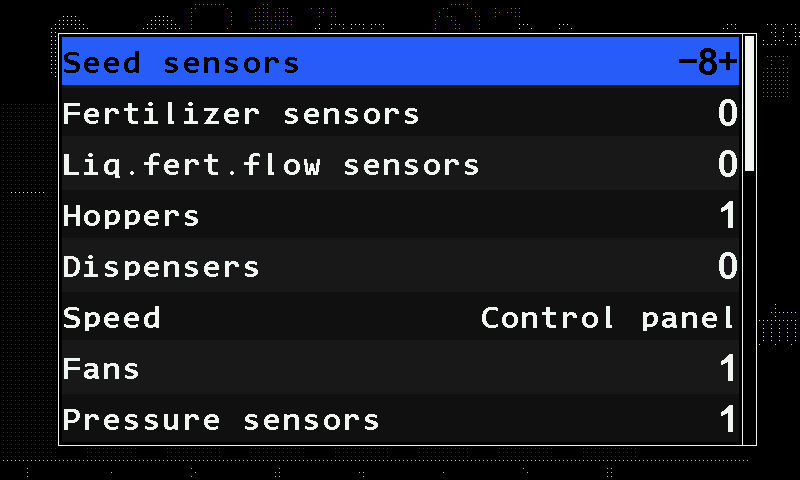
The profile items
| Item | Range |
|---|---|
| “Seed sensors” | 2 … 120. The menu lets you set 1, but such a profile is refused when it is saved. |
| “Fertilizer sensors” | 0 … 60; seed and fertilizer sensors together not more than 120. |
| “Liq.fert.flow sensors” | 0 … 60 — liquid fertilizer section sensors. |
| “Hoppers” | 0 … 9 |
| “Dispensers” | 0 … 9 — dispenser shaft sensors. |
| “Speed” | “No” / “Control panel” (sensor wired to the panel) / “Input device” (one wheel sensor on an input device) / “Input device (2)” (two wheel sensors on an input device). |
| “Fans” | 0 … 2 |
| “Pressure sensors” | 0 … 3 |
| “Work position sensor” | “No” / “Yes” |
| “Markers” | “No” / “One” / “Both” |
| “No battery charge”, “Emergency oil pressure”, “Ignition”, “Low fuel”, “Air filter” | The engine sensors — “No” / “Yes” each. |
| “EMD of the seeds” | 0 … 60 — seed dispenser electric motors. |
| “EMD of the fertilizers” | 0 … 30 — fertilizer dispenser electric motors; both motor groups together not more than 60. |
| “Tramline actuators” | 0 … 4 |
| “Liq.fert.pump controller” | 0 … 1 |
At the end of the menu follow “Save settings”, “Load settings”, the two memory card items and “Save profile” — see below and Save and load settings.
When the panel refuses a profile
The panel checks the whole profile, not only the item you changed. It refuses a profile when:
- the hopper, dispenser and engine sensors together come to more than 12;
- they come to more than 10 while the pressure and fan sensors together come to more than four;
- the pressure and fan sensors together come to more than five;
- there are fertilizer motors but no seed motors, or fertilizer motors but no fertilizer sensors;
- there are electric motors or a liquid fertilizer pump but no speed sensor.
Save the profile
After changing the profile, tap “Save profile” at the end of the menu, and tap it again.
If nothing was changed, the panel shows “No changes”. If the profile breaks one of the rules above, it shows “Invalid profile!” in red and saves nothing. Otherwise it asks “Are you sure?”.
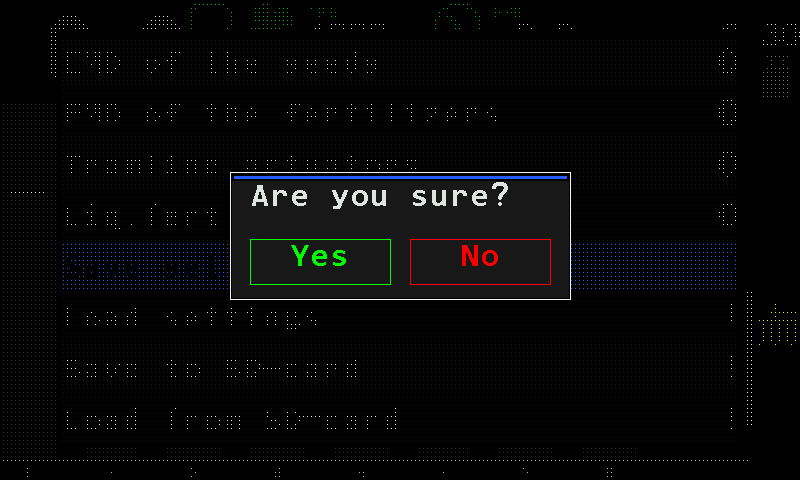
The question before the profile is saved. Tap “Yes”. The panel shows “Wait...”, then “Saved” and “Restart system”, and restarts by itself.
A tap on “No”, or outside the question window, leaves the saved profile as it was.
Something your machine does that this page does not answer? Write to support@agriwelt.com — an engineer answers.