Setting up
Fan sensor
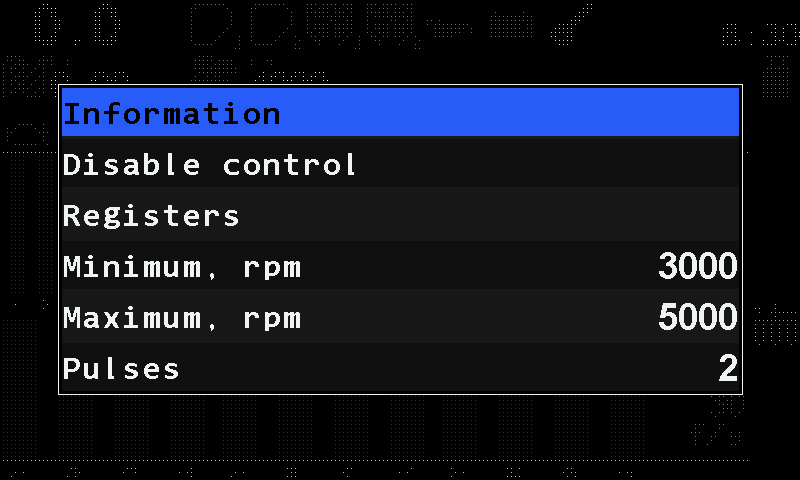
The parameters of the fan speed sensor — the allowed speed band and the pulses per turn — with ranges and defaults.
The fan sensor watches the speed of the fan of a pneumatic drill or planter. Touch and hold the fan icon on the home screen to open its context menu (Sensor settings).
| Parameter | What it does | Range, default | Level |
|---|---|---|---|
| “Minimum, rpm” | Below it the panel raises “Low speed of rotation”. | 500 … 9000, steps of 500; 3000 | Operator |
| “Maximum, rpm” | Above it the panel raises “High speed of rotation”. | 500 … 9000, steps of 500; 5000 | Operator |
| “Pulses” | How many pulses one turn of the fan gives. | 1 … 60; 2 | Agronomist |
The home screen shows the fan speed in rpm beside the icon; the status screen shows the pulse frequency F= in Hz. Alarms: Fan or dispenser shaft: speed alarms.
Something your machine does that this page does not answer? Write to support@agriwelt.com — an engineer answers.