Hopper, work position and engine sensors
The settings of the two-state sensors — hopper level, work position of the implement, and the five sensors of the fan-drive engine.
These sensors report one of two states and nothing more. Touch and hold the icon of any of them on the home screen to open its context menu (Sensor settings). Their status screen shows Pin: and the level on the input, "0" or "1".
Hopper sensor
The hopper sensor has no parameters of its own — its context menu holds only the common items.
Alarm: Hopper empty.
Work position sensor
The work position sensor tells the panel whether the implement is lowered for work or raised for transport. The status screen shows “Position: Working” or “Position: Transporting”.
| Parameter | What it does | Values, default | Level |
|---|---|---|---|
| “Transporting position signal” | Which state of the input means the transport position. | 0 / 1; 0 | Agronomist |
| “Alarms criteria” | “Yes” — while the implement is raised, the section alarms are not watched. “No” — the position does not affect the alarms. Hidden, and always “Yes”, on a machine with dispenser motors or a pump. | “No” / “Yes”; “Yes” | Agronomist |
On a machine without markers that makes tramlines, raising the implement ends a bout — see Set up the tramline rhythm.
Engine sensors
“No battery charge”, “Emergency oil pressure”, “Ignition”, “Low fuel” and “Air filter” are five separate inputs, each switched on in the profile on its own (The profile).
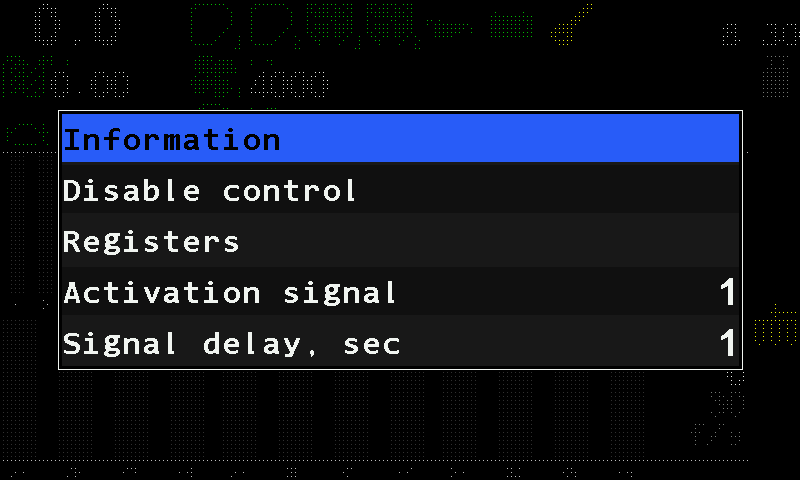
| Parameter | What it does | Range, default | Level |
|---|---|---|---|
| “Activation signal” | Which state of the input is the one worth reporting. | 0 / 1; 1 | Agronomist |
| “Signal delay, sec” | How long that state must hold before it counts. | 1 … 30; 15 s for the fuel level, 5 s for the air filter, 1 s for the others | Agronomist |
Oil pressure and battery charge are watched only while the ignition is on; fuel level and air filter always. Alarms: Tractor engine alarms.
Something your machine does that this page does not answer? Write to support@agriwelt.com — an engineer answers.