Set the screen brightness
Make the screen brighter or dimmer — one item in the Settings menu, set by hand.
On the home screen tap with two fingers. Tap “Settings”, and tap it again.
“Brightness,%” is the first item. Tap it, then swipe right to brighten or left to dim, in steps of 10, from 0 to 100.
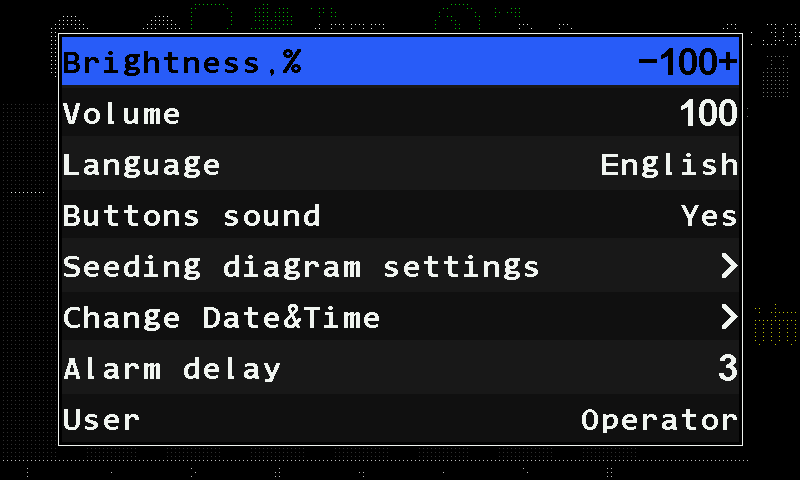
The Settings menu with Brightness,% selected. Tap outside the menu to leave it. The new brightness stays in force and is stored by itself.
There is no automatic brightness: the screen stays at the value you set, day and night. Dim it for night work and raise it again in the morning. 0 is the dimmest setting, not off — the screen stays lit.
The same menu holds “Volume” — the loudness of the alarm sound — and “Buttons sound”, the click on every touch. Everything else in the Settings menu: The Settings menu.
Something your machine does that this page does not answer? Write to support@agriwelt.com — an engineer answers.